> ## Documentation Index
> Fetch the complete documentation index at: https://docs.nscale.com/llms.txt
> Use this file to discover all available pages before exploring further.
# Service tokens
> Service Tokens (JWTs) provide scoped, time‑limited access for non‑human clients (e.g. backend services, cron jobs). Each token is a signed JSON Web Token that your services can present to authenticate against the Nscale API.
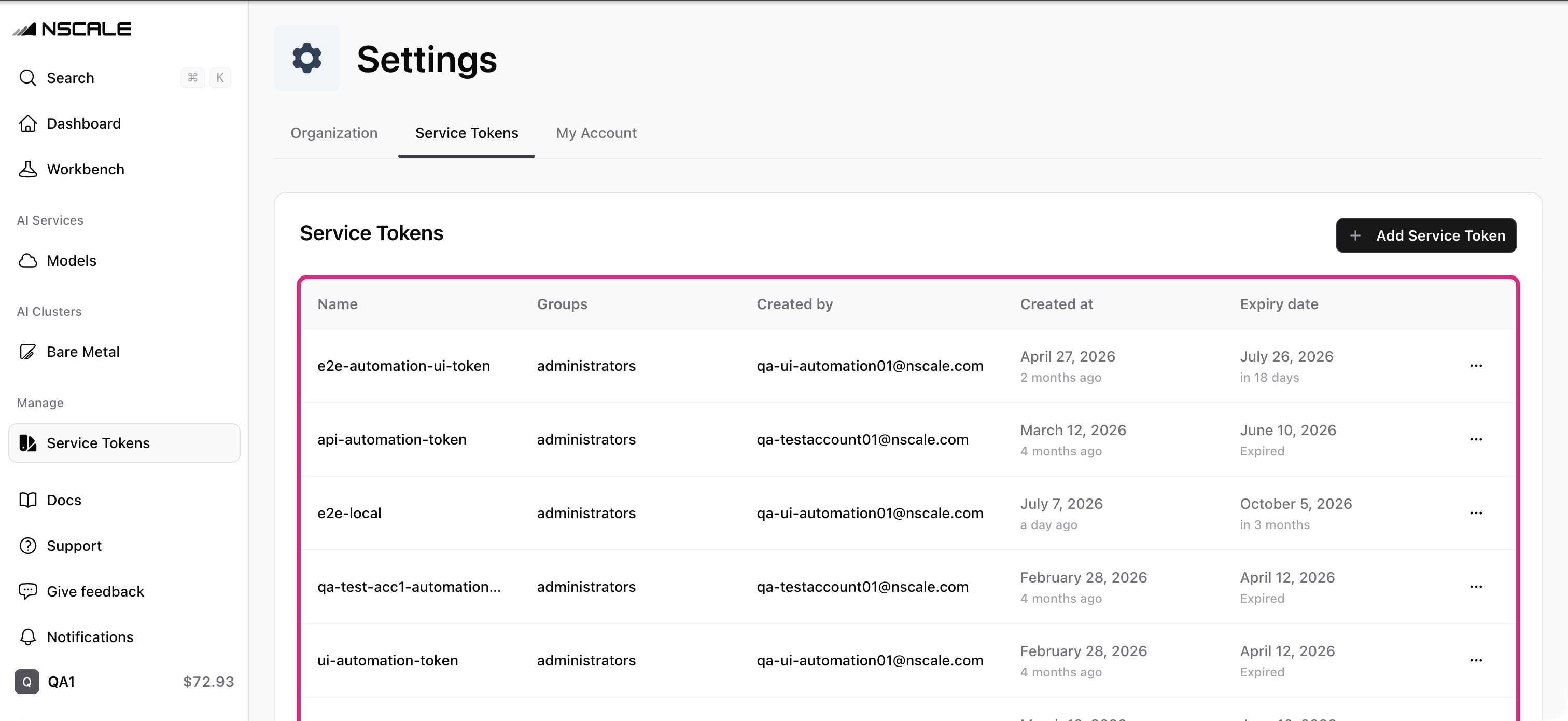 ## Steps to generate a Service Token
The creation flow looks like this:
1. Navigate to **Settings → Service Tokens**.
2. Click **Create Service Token**.
3. Name your token.
4. Copy the token now—you won’t be able to view it again.
Tokens can be rotated (regenerated) at any time without changing the Token ID or its access. Make sure you update your secret store with the new value.
## Refreshing a Service Token
If you need a new JWT (e.g. a token was compromised or lost):
1. Find the token in the list and select **Rotate** from the table row actions.
2. Confirm the action.
3. Copy the new token immediately—you won’t see it again.
## Best Practices & Security
* **Secure Storage**
Keep Service Tokens in an encrypted vault (e.g. AWS Secrets Manager, HashiCorp Vault).
* **Rotate Regularly**
Refresh tokens before expiry to limit the impact of a leak.
* **Immediate Blacklisting**
Revoke any token immediately upon suspicion of compromise.
***
## Related
Manage service accounts from the command line.
## Steps to generate a Service Token
The creation flow looks like this:
1. Navigate to **Settings → Service Tokens**.
2. Click **Create Service Token**.
3. Name your token.
4. Copy the token now—you won’t be able to view it again.
Tokens can be rotated (regenerated) at any time without changing the Token ID or its access. Make sure you update your secret store with the new value.
## Refreshing a Service Token
If you need a new JWT (e.g. a token was compromised or lost):
1. Find the token in the list and select **Rotate** from the table row actions.
2. Confirm the action.
3. Copy the new token immediately—you won’t see it again.
## Best Practices & Security
* **Secure Storage**
Keep Service Tokens in an encrypted vault (e.g. AWS Secrets Manager, HashiCorp Vault).
* **Rotate Regularly**
Refresh tokens before expiry to limit the impact of a leak.
* **Immediate Blacklisting**
Revoke any token immediately upon suspicion of compromise.
***
## Related
Manage service accounts from the command line.